-
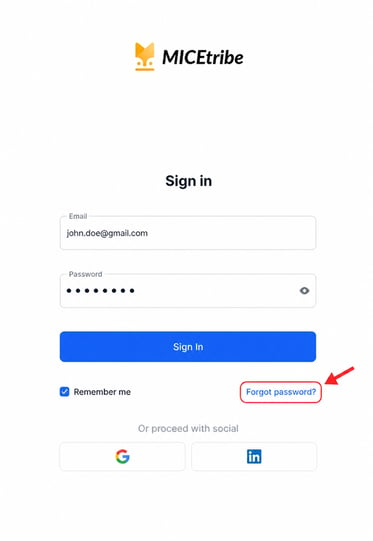
Below the Sign in button, click Forgot password?
-
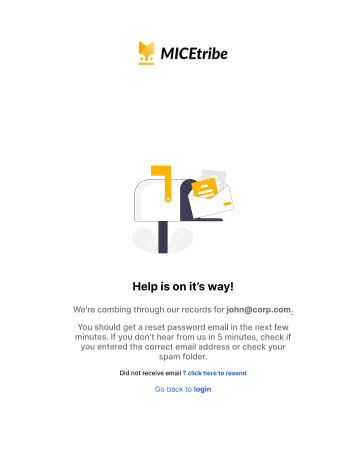
MICEtribe will display a confirmation screen: "Help is on its way!" The screen will confirm it is searching its records for your email address. You should receive a reset password email within a few minutes.
Note: If you do not receive the email within 5 minutes, check your spam or junk folder. If it is still not there, click "click here to resend" on the same screen.
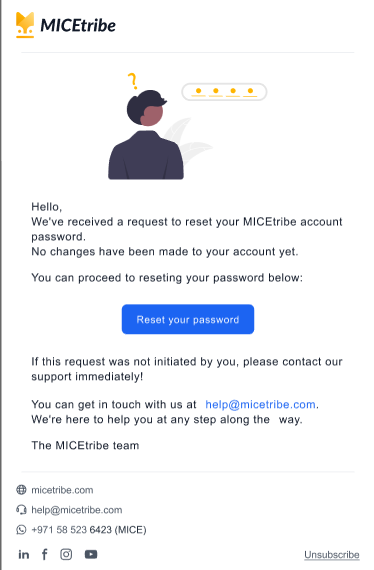
- Open the email from MICEtribe in your inbox. The email will say: "We've received a request to reset your MICEtribe account password. No changes have been made to your account yet."
- Click the Reset your password button inside the email.
Important: If you did not request a password reset, do not click the button. Contact MICEtribe support at help@micetribe.com
Set your new password
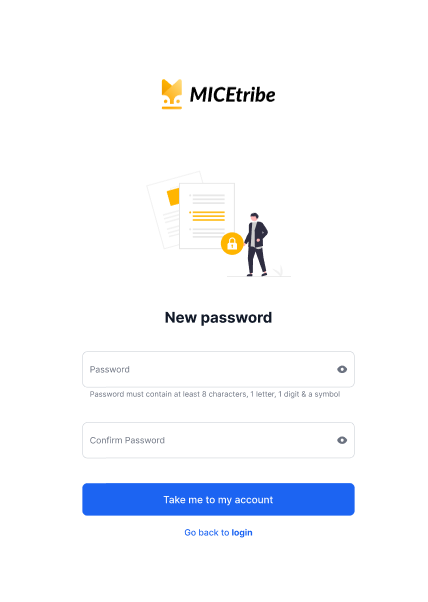
- You will be taken to the New password page.
- Enter your new password in the Password field.
Password requirements: At least 8 characters, including 1 letter, 1 digit, and 1 symbol (e.g.
!,@,#,$). - Re-enter the same password in the Confirm Password field.
- Click Take me to my account.
- You will be signed in to your MICEtribe account automatically.
Note: If you click Go back to login instead, you can sign in manually using your new password.